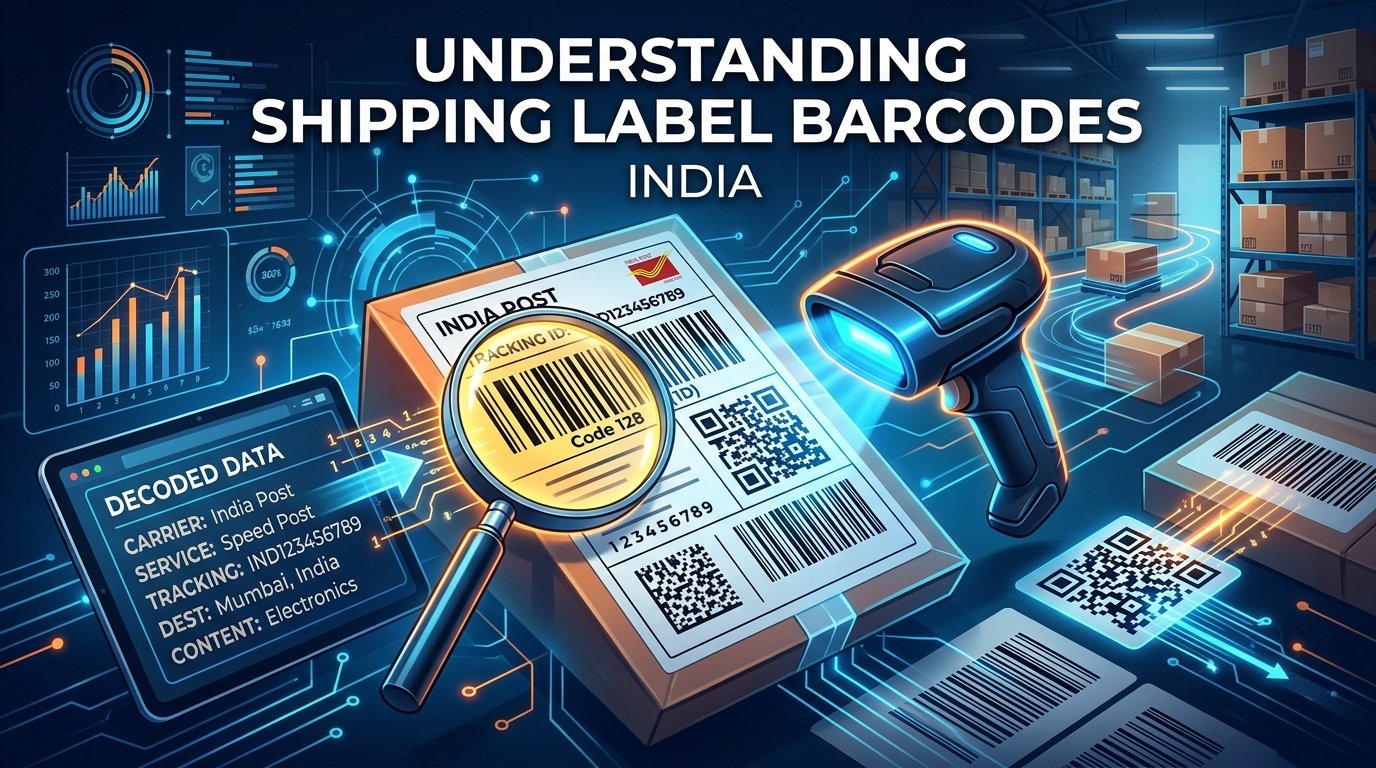
Every shipping label printed for Meesho, Flipkart, or Amazon orders contains one or more barcodes. These barcodes are not just random lines — they encode critical information that courier partners use to route, track, and deliver your packages. Understanding what these barcodes contain and why they need to be printed clearly can help you avoid delivery failures, returns, and account penalties.
Types of Barcodes on Shipping Labels
Indian e-commerce shipping labels typically use three types of barcodes:
1. Code 128 Barcodes (Linear/1D)
This is the most common barcode type found on shipping labels. Code 128 consists of vertical bars and spaces of varying widths. It can encode any ASCII character and is used primarily for the AWB Number (Air Waybill Number) — the unique tracking identifier assigned to each shipment.
When a courier partner scans this barcode at pickup, transit hubs, and delivery, it updates the tracking status that you and your customer can see on the platform dashboard. If this barcode is damaged, faded, or unreadable, the package cannot be tracked and may be returned to you as "undeliverable."
2. QR Codes (2D)
Some platforms, especially Flipkart (via EKart Logistics), include QR codes on their shipping labels. QR codes can store significantly more data than linear barcodes — up to 4,296 characters compared to Code 128's ~40 characters. QR codes on shipping labels typically encode:
- The AWB/tracking number
- The delivery pin code and routing information
- Order metadata (order ID, seller ID)
- Sometimes a URL linking to the tracking page
QR codes are more resilient to printing imperfections than linear barcodes. Even if 30% of a QR code is damaged, it can still be scanned successfully due to built-in error correction. This is why many logistics companies are transitioning from Code 128 to QR codes for shipping labels.
3. PDF417 Barcodes (2D Stacked)
PDF417 is a stacked linear barcode format used by some courier partners. It looks like a wide rectangular block of small bars. It can encode up to 1,800 characters and is sometimes used on Amazon labels to store comprehensive order details. You do not need to decode these manually — the courier's handheld scanner handles everything.
What Information is Encoded in Each Barcode?
Here is a breakdown of what the barcodes on labels from major Indian platforms contain:
Meesho Labels
- Top barcode (Code 128): Contains the AWB number (e.g., "MEE4829174628"). This is the primary tracking number used by courier partners like Valmo, Delhivery, or Xpress Bees.
- Bottom barcode (if present): May contain the Meesho Order ID or a secondary routing code used at sorting hubs.
Flipkart Labels
- Large barcode (Code 128 or QR): Contains the EKart AWB number. This is scanned at every transit point from pickup to delivery.
- Small barcode (Code 128): Often contains the Flipkart Order Item ID (OD+numbers), which is used for internal routing within EKart's logistics network.
- Return barcode: A separate barcode used if the customer returns the product. It encodes the reverse logistics routing information.
Amazon Labels
- Primary barcode (Code 128): Contains the Amazon shipping tracking number, which varies by courier partner (Blue Dart, Delhivery, Amazon Transportation Services).
- FNSKU barcode (for FBA): If you sell through Fulfilled by Amazon, each product unit must have an FNSKU barcode. This is a product-level identifier that Amazon's warehouse staff scan to identify your product.
Why Barcode Print Quality Matters
A poorly printed barcode can cause serious problems in the delivery chain:
- Package returned to seller: If the courier cannot scan the barcode at the sorting hub, the package is marked as "undeliverable" and returned.
- Wrong routing: A partially readable barcode might be misinterpreted, sending your package to the wrong delivery hub.
- Tracking failures: If the barcode is not scanned at transit points, the tracking status does not update, leading to customer complaints and "where is my order" calls.
- Seller penalties: Platforms like Amazon and Flipkart penalize sellers who consistently have undeliverable packages due to label quality issues.
Tips for Perfect Barcode Printing
- Use a thermal printer: Thermal printers produce sharper, higher-contrast barcodes than inkjet printers. The lines are crisp and scan reliably.
- Use the correct label size: Printing a 4×6 label on 4×4 paper will compress the barcodes, making them harder to scan. Use EasyOrderLabel to auto-crop labels to the correct dimensions.
- Set print scaling to "Fit to Paper": Never use "Actual Size" or "Shrink to Fit" as these can distort barcode proportions.
- Clean your print head regularly: A dirty thermal print head produces faded barcodes. Clean it with isopropyl alcohol (IPA) and a cotton swab every 500 labels.
- Test scan before printing a batch: Print one label first, scan it with your phone's camera app to verify it is readable, then print the rest.
- Store thermal labels properly: Keep label rolls in a cool, dry place away from sunlight. Heat-damaged thermal paper produces faded prints.
How EasyOrderLabel Preserves Barcode Quality
When you process your shipping labels through EasyOrderLabel, our tool preserves the original barcode data with pixel-perfect accuracy. We do not re-render or re-generate barcodes — we work with the original PDF page content and only adjust the crop boundaries and page order. This means your barcodes remain exactly as the platform generated them, ensuring 100% scan compatibility with all courier partner systems.